BitOasis Lite offers a fast and simple way to buy, sell, or swap crypto. Follow these steps to complete your purchase:
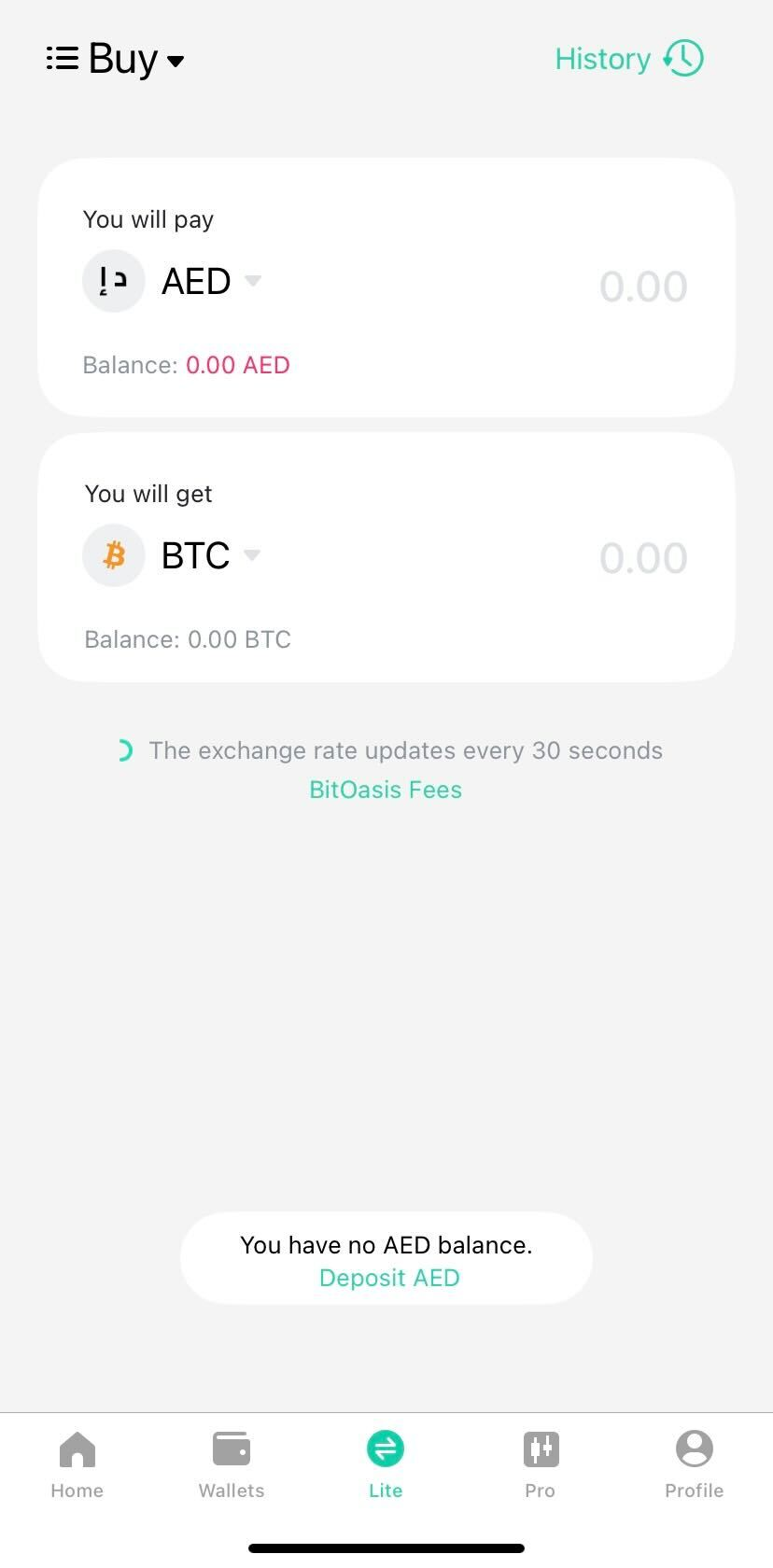
Step 1: Open BitOasis & Select ‘Lite’ Mode
- Launch the BitOasis app.
- Tap the ‘Lite’ button at the bottom of the screen (as shown in the screenshot).
Step 2: Choose Action (Buy/Sell/Swap)
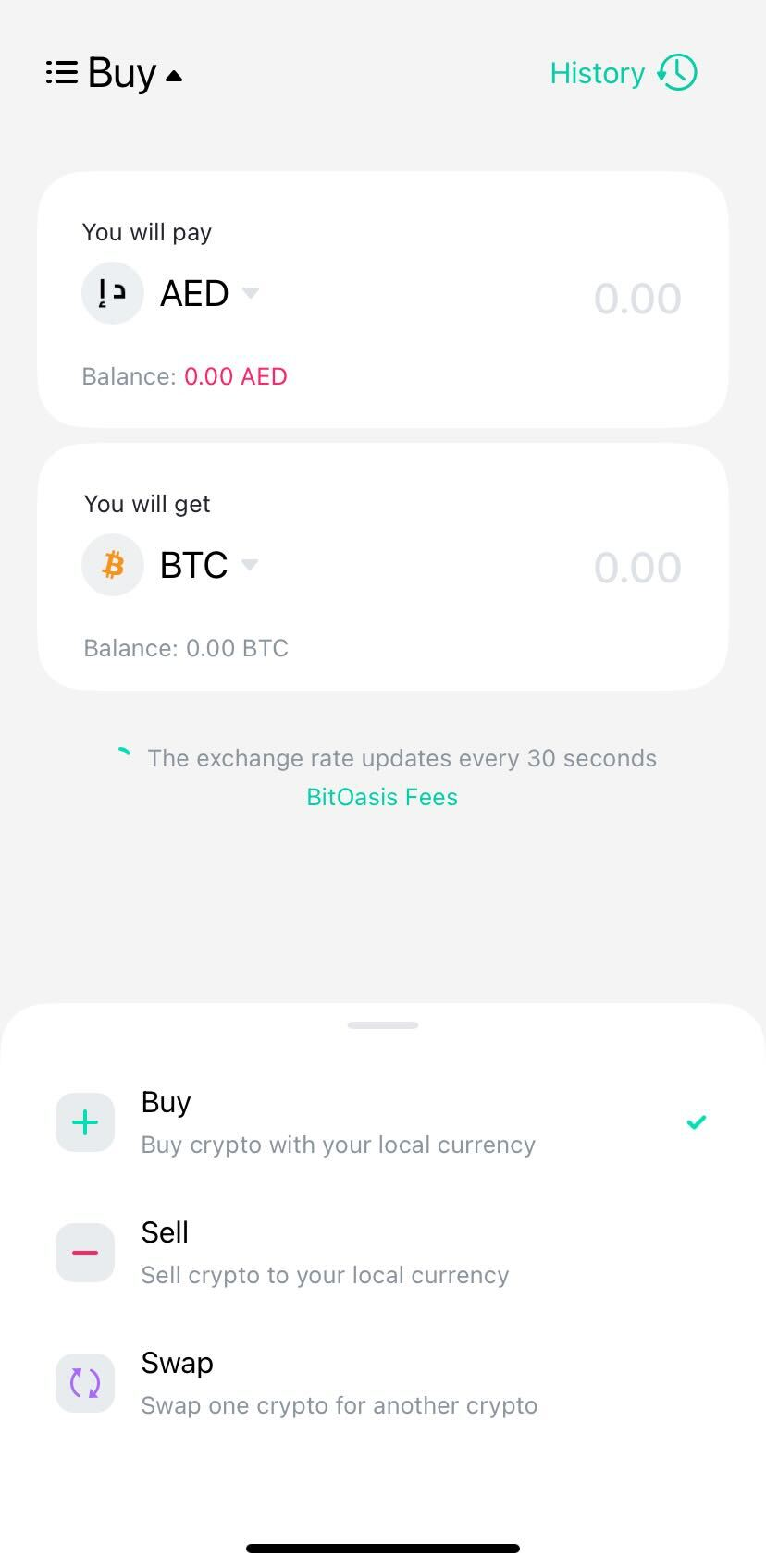
Select what you want to do:
Buy: Purchase crypto with your account balance.
Sell: Convert crypto to cash.
Swap: Exchange one crypto for another.
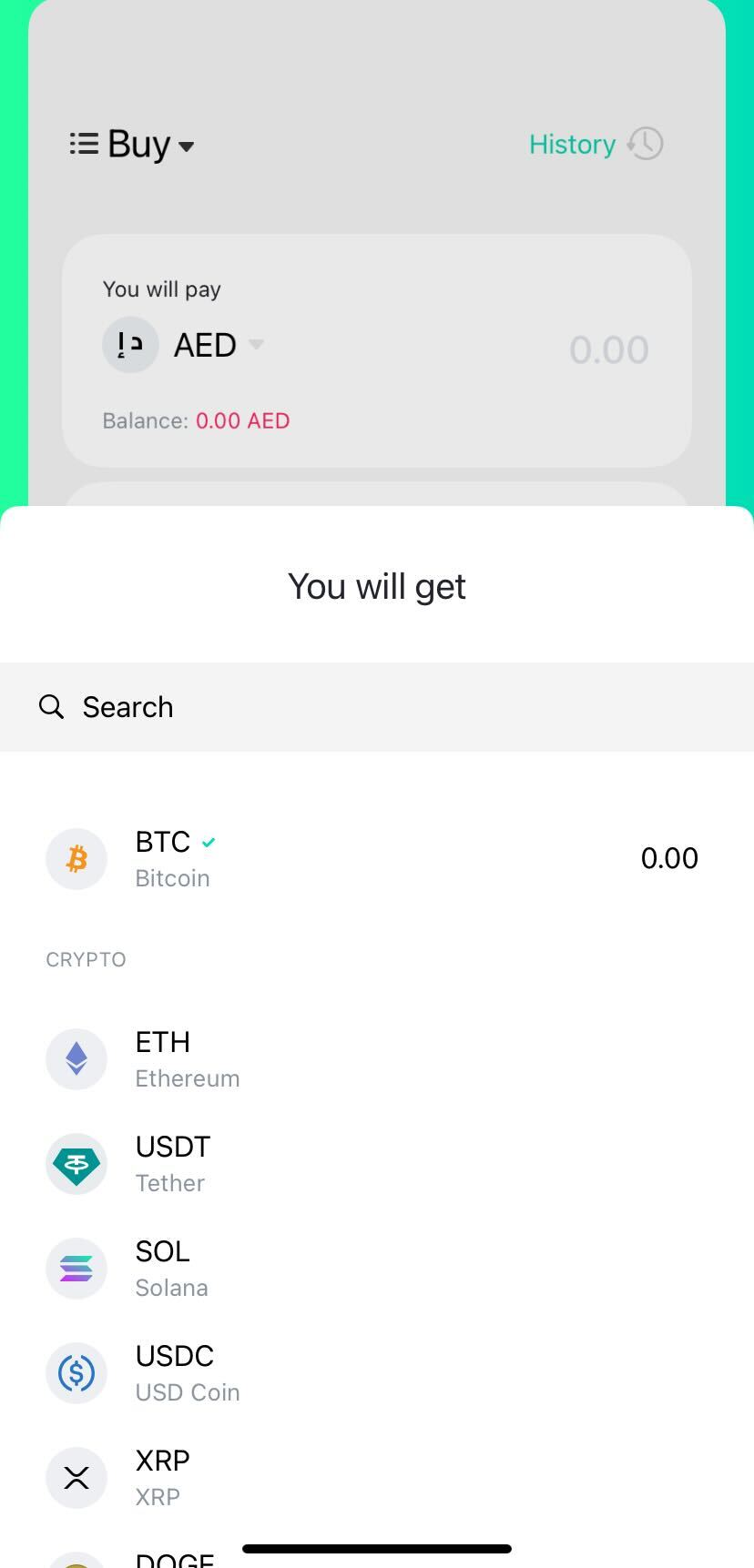
Step 3: Choose a Token & Enter Amount
- Select your preferred cryptocurrency from the drop-down menu.
- Enter the amount you wish to buy (in local currency or crypto).
- Double-check the details.
- Click the ‘Buy/Sell/Swap’ button to proceed.
Step 3: Confirm & Complete Transaction
Your purchase will be processed instantly.
The crypto will be credited to your BitOasis wallet.
Note: You should have enough balance in your BitOasis account to complete the transaction
If you require any further clarification or information, feel free to contact us Here.
Was this article helpful?
That’s Great!
Thank you for your feedback
Sorry! We couldn't be helpful
Thank you for your feedback
Feedback sent
We appreciate your effort and will try to fix the article