Cash Withdrawal Guide
Transfer funds from your BitOasis wallet to your bank account
Withdrawals are only supported to your personal bank account — third-party accounts are not permitted.
Withdrawal Fees
Steps to Withdraw Cash
1
Ensure Sufficient Balance
- Check your Fiat wallet balance to ensure you have enough funds for the withdrawal.
- If your balance is low, sell your crypto assets first to make funds available.
2
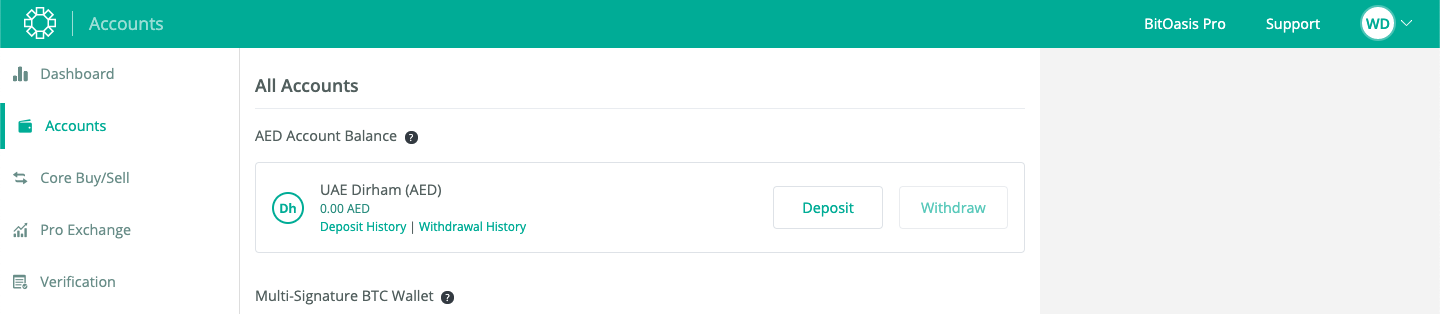
Initiate Withdrawal
- Go to the Wallet section and select Withdraw.
- Add your personal bank account details where you want the funds to be transferred.
3
Enter Withdrawal Amount
- Enter the amount you wish to withdraw.
- Click the "Initiate Withdrawal" button to confirm.
⚠️ Minimum withdrawal: 200 AED (excluding the withdrawal fee). For amounts below 200 AED, please contact support.
Processing Time
Important Notes
- Minimum Balance Required: Ensure your balance is at least 210 AED for standard processing (200 AED minimum withdrawal + 10 AED fee).
- No Third-Party Accounts: BitOasis only supports withdrawals to your own personal bank account. Ensure your bank details are entered correctly.
Need to withdraw less than 200 AED?
Our support team is happy to help you with smaller withdrawal amounts.
Was this article helpful?
That’s Great!
Thank you for your feedback
Sorry! We couldn't be helpful
Thank you for your feedback
Feedback sent
We appreciate your effort and will try to fix the article