At BitOasis, we prioritize your account's security. Follow the step-by-step guide below to securely update or reset your password.
How to Change Your Password:
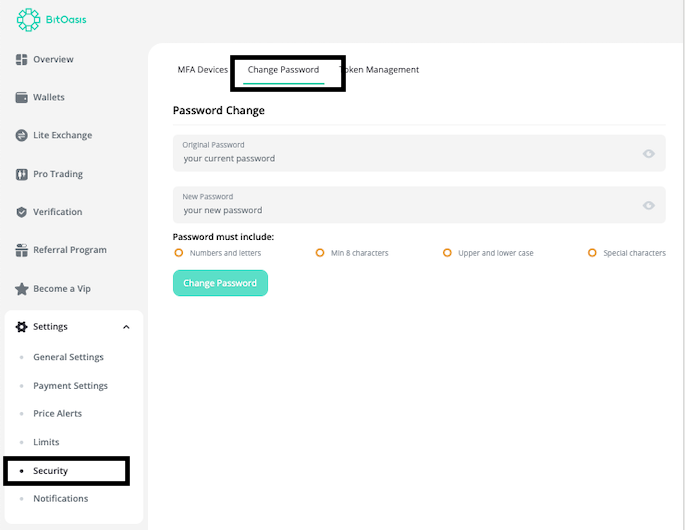
Access Security Settings
- Navigate to the Settings menu on your account.
- Select the Security option.
Update Your Password
- Locate the Change Password feature.
- Enter your current password and your new password.
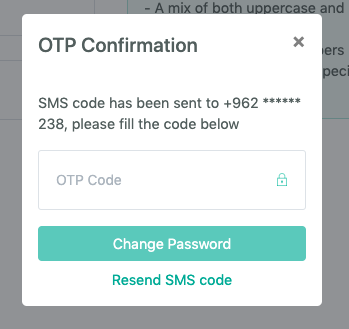
Verify OTP
- Submit your details.
- You will receive a One-Time Password (OTP) on your registered phone number.
- Enter the OTP to confirm the password change.
Note: For security purposes, ensure your new password is strong and unique. Avoid using easily guessable information, such as your name or birthdate.
If you wish to reset your password, please proceed by visiting the following Link.
If you require further assistance don't hesitate to reach out to our dedicated customer support team by clicking Here.
Was this article helpful?
That’s Great!
Thank you for your feedback
Sorry! We couldn't be helpful
Thank you for your feedback
Feedback sent
We appreciate your effort and will try to fix the article