Wire Transfer Deposit Instructions
Fund your BitOasis wallet via bank wire transfer
Available for clients in the UAE, KSA, Bahrain, Qatar, Kuwait, Oman, Lebanon, Tunisia, Algeria, and Jordan.
Service Notice
Wire deposits, credit card deposits, and withdrawals for KSA and non-GCC countries are temporarily unavailable due to challenges with our banking partner. We are working diligently to resolve this as quickly as possible.
Regional Availability
⏱ Processing Time
30 to 45 minutes once funds reach the BitOasis bank account.
? BitOasis Fees
Free — BitOasis charges no fees for wire transfers. Note: your own bank may charge a separate transfer fee.
Steps to Make a Wire Transfer Deposit
Initiate a Deposit on the BitOasis Platform
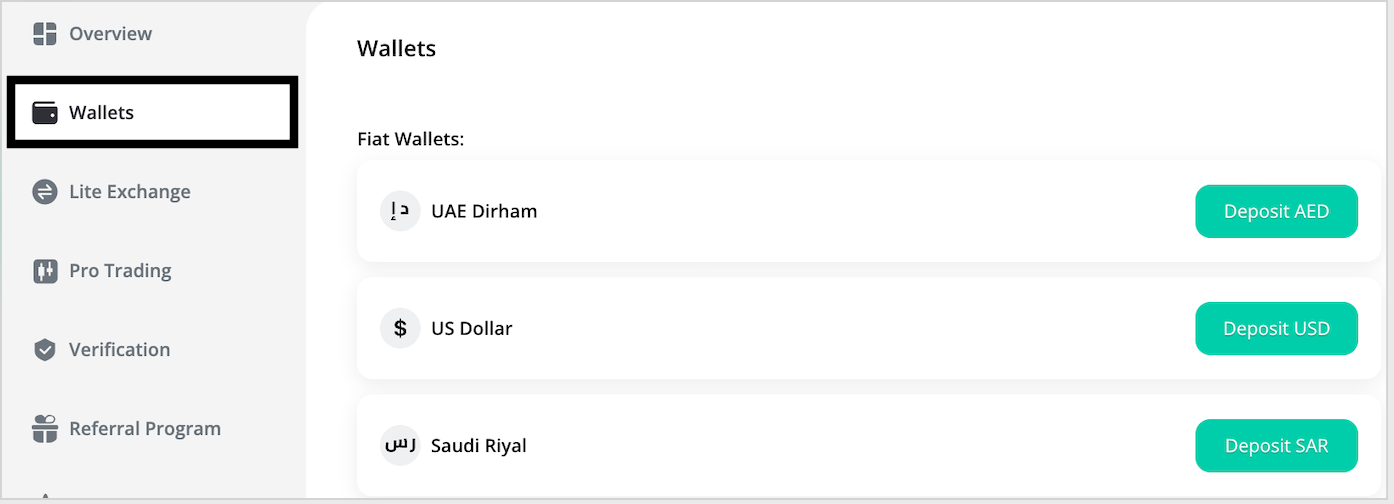
- Navigate to the Deposit page from the Dashboard.
- Select Wallets and click on your preferred deposit currency.
- Choose "Standard Bank Transfer" as your payment method.
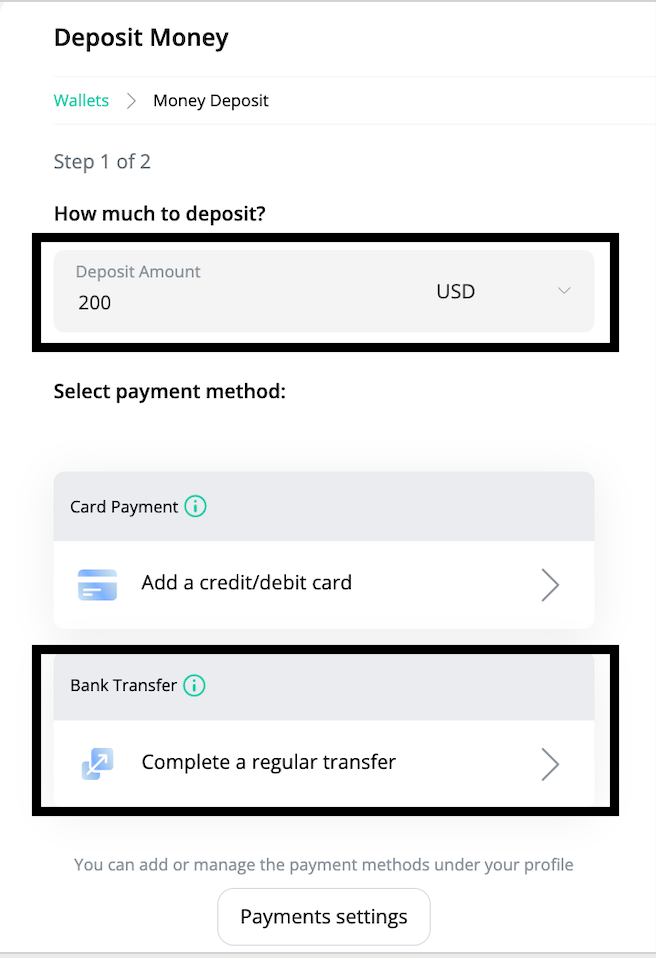
Enter Deposit Amount
- Enter the amount you wish to deposit.
- There is currently no minimum deposit limit.
- Carefully review all payment details provided before proceeding.
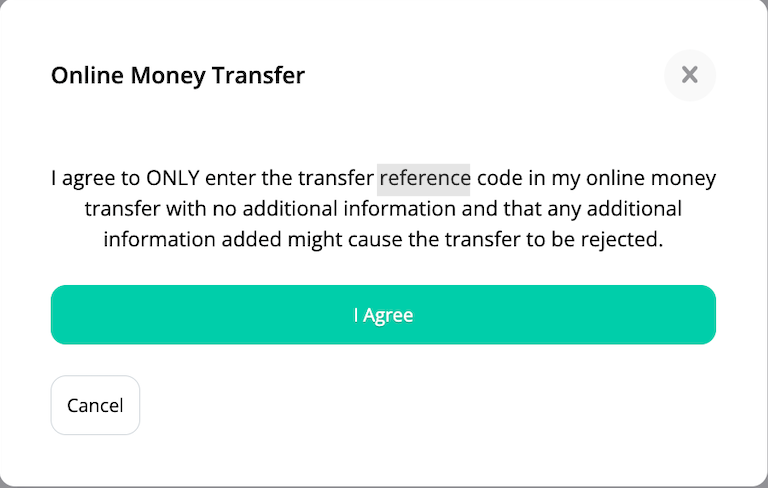
Confirm the Deposit
Click the "Deposit Money" button and carefully read the pop-up message. Once reviewed, accept the terms to proceed.
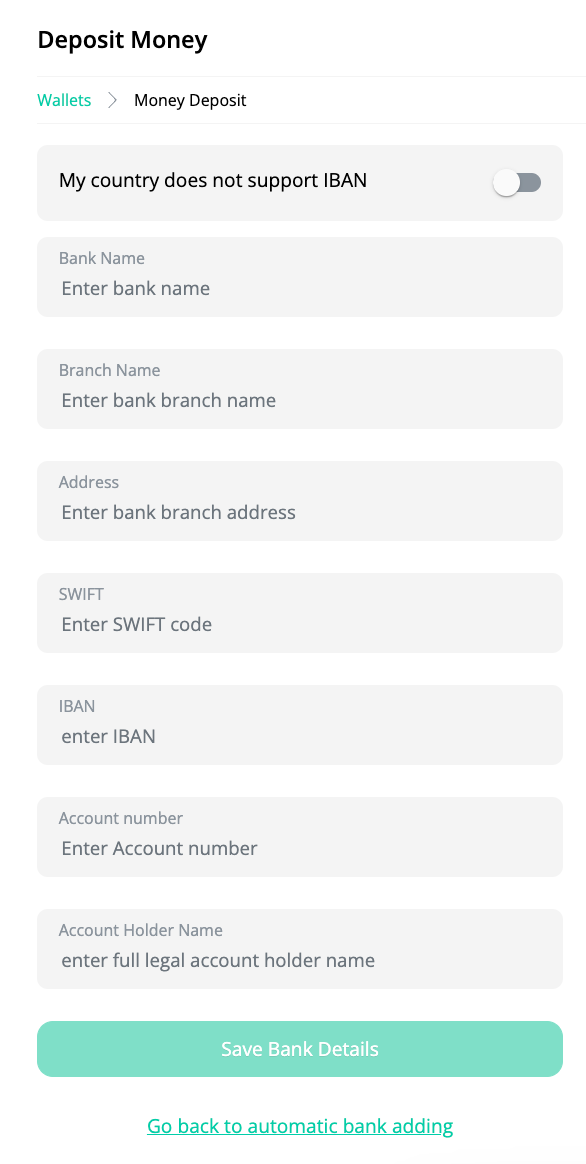
Add Your Bank Account Details
- If not already added, input your personal bank account details into your BitOasis account.
Complete the Transfer
Log in to the online banking platform of the bank account linked to your BitOasis profile and complete the wire transfer using the bank details provided in the app.
⚠️ Important Reminders
- Create the deposit voucher first: Payments will not be credited until a voucher is created in the BitOasis app or website by following the steps above. Transfer the funds only after completing the voucher.
- Double-check all details: Ensure all bank details and references are accurately entered to avoid delays in processing.
Need further assistance?
Our support team is available to help with any questions about your wire transfer deposit.
Was this article helpful?
That’s Great!
Thank you for your feedback
Sorry! We couldn't be helpful
Thank you for your feedback
Feedback sent
We appreciate your effort and will try to fix the article